
Does your child amaze you with complex LEGO builds but struggle to show their work in math? Can they visualize entire storylines in their head but fumble when asked to explain step-by-step? If you’re nodding along, your child might be a visual-spatial learner, and traditional education apps probably aren’t cutting it.
As a parent of a curious, gifted, or twice-exceptional (2E) child, you’ve likely noticed that one-size-fits-all learning tools miss the mark. Your child doesn’t think in linear steps, they think in pictures, patterns, and big-picture connections. They need to see it to understand it.
That’s exactly why NeoBuddi was built differently.
Understanding Visual-Spatial Learners: Your Child’s Unique Brilliance
Visual-spatial learners (VSLs) make up approximately one-third of all students, according to research from the Gifted Development Center. These children:
-
Think in pictures, not words – They need to visualize concepts to truly grasp them
-
Learn holistically – They need the big picture first, then details make sense
-
Arrive at answers intuitively – They may know the answer without being able to “show their work”
-
Excel at complex tasks – But may struggle with seemingly “easy” sequential steps
-
Have exceptional spatial reasoning – Perfect for geometry, engineering, art, and systems thinking
As Dr. Linda Kreger Silverman explains, “Visual-spatial learners learn all-at-once, and when the light bulb goes on, the learning is permanent. They do not learn from repetition and drill.”
The Problem: Traditional Learning Apps Miss the Mark
Most educational apps are designed for auditory-sequential learners, children who process information step-by-step through listening and repetition. For your visual-spatial child, this approach creates frustration:
❌ Too much text-based instruction
❌ Linear, step-by-step progression that feels restrictive
❌ No way to visualize abstract concepts
❌ Drill-and-repetition that turns them off
❌ No accommodation for their intuitive problem-solving style
You’ve probably watched your bright child zone out during a “highly-rated” learning app because it just doesn’t match how their brain works.
How NeoBuddi Is Different: Built for How VSLs Actually Learn
NeoBuddi is a parent-guided AI learning buddy specifically designed to support neurodiverse learners, including visual-spatial thinkers. Here’s how it works with your child’s natural strengths:
🎨 1. The “Visualize This” Button: Instant Visual Learning
Right in the chat interface, your child can tap the “Visualize” button to generate custom images that bring concepts to life.
How it helps VSLs:
-
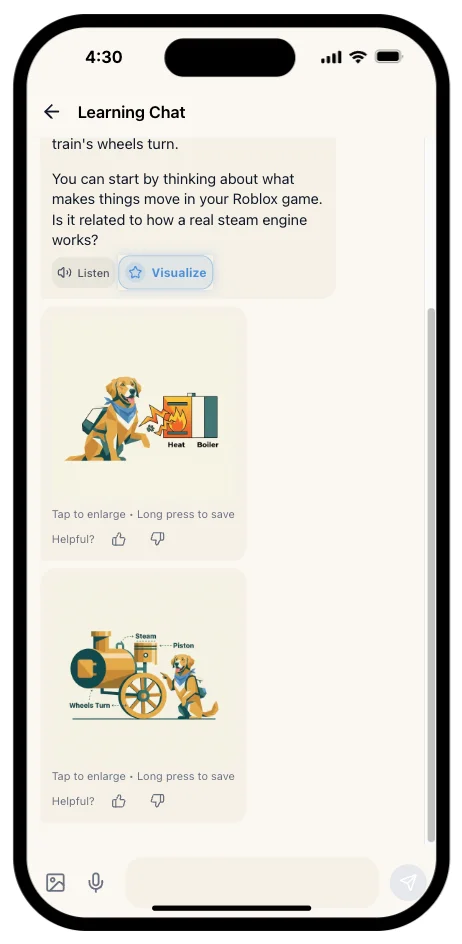
Struggling with how steam engines work? NeoBuddi generates a labeled visual showing heat, boiler, steam, and pistons, exactly like in the app screenshots you shared
-
Confused about fractions? The AI creates visual pie charts or pizza slices to make it click
-
Exploring historical events? Multi-panel timelines show the sequence visually
This matches the research-backed strategy: “Visual-spatial learners MUST get a picture in their heads. This takes time… but then it’s instant recall.” (Penny Choice, educator and VSL specialist)
🧩 2. Whole-to-Part Learning Path
Unlike apps that force step-by-step progression, NeoBuddi adapts to your child’s learning style preference stored in their profile. The AI:
-
Starts with the big picture – “Let’s explore how steam engines work” before diving into components
-
Allows non-linear exploration – Your child can jump to what interests them most
-
Uses Socratic questioning – Encourages curiosity through open-ended questions rather than drilling facts
As noted in the Visual-Spatial Learner research: “They are whole-part learners who need to see the big picture first before they learn the details.”
🗣️ 3. Multiple Input Methods for Different Processing Needs
Your VSL might struggle to articulate their thoughts quickly (they’re translating images to words!). NeoBuddi offers:
-
Voice input – Speak their questions instead of typing
-
Photo input – Snap a picture of a homework problem or interesting object
-
Text chat – For when they prefer to think through their words
This flexibility honors the VSL characteristic: “May need extra time to translate their images and ideas into words.”
🎯 4. Multi-Panel Step-by-Step Visuals
For complex processes (science experiments, historical timelines, mathematical concepts), NeoBuddi generates multi-panel visuals that show progression while maintaining the whole picture.
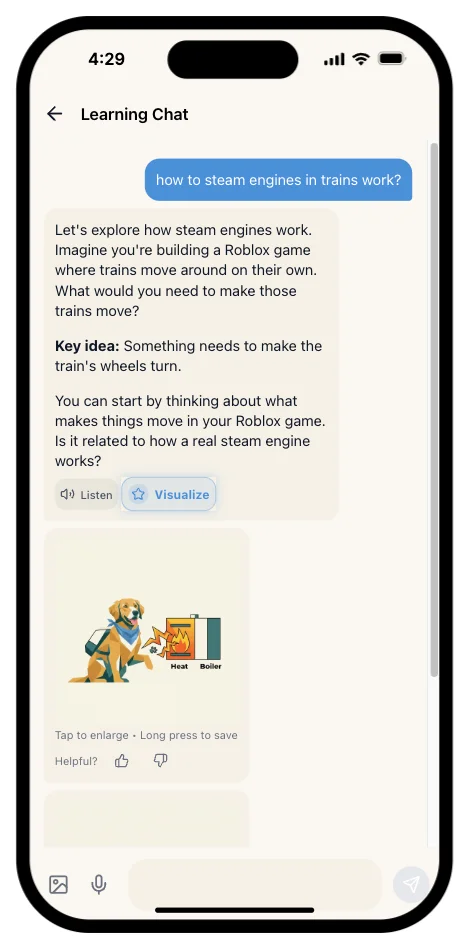
Example from the app demo: The steam engine visualization shows:
-
Panel 1: Heat source
-
Panel 2: Boiler converting water to steam
-
Panel 3: Piston movement
-
Panel 4: Wheel rotation
Your child can see the entire system while understanding individual components, perfect for systems thinkers.
🧠 5. Personalized for Neurodiversity
NeoBuddi’s AI adjusts for:
-
ADHD – Shorter, engaging responses; visual anchors for attention
-
Autism – Clear, literal language; predictable structure
-
Dyslexia – Reduced text load; heavy visual support
-
Gifted/2E – Complex concepts without prerequisite “easy” work that frustrates them
The learning style field in your child’s profile ensures the AI respects that “visual-spatial learners learn better visually than auditorally.”
👨👩👧 6. Parent Dashboard: You’re In Control
Unlike generic AI chatbots, NeoBuddi puts parents in the driver’s seat:
-
3-layer safety moderation – All inputs and outputs filtered
-
Real-time activity monitoring – See what your child is learning
-
Review all generated visuals – Approve or flag any content
-
Learning reports – Track progress in ways that honor their strengths
You can rest easy knowing your child is exploring safely.
What Visual-Spatial Learning Experts Say
Research from the Gifted Development Center recommends these strategies for VSLs:
✅ “Show them, don’t just tell them” – ✓ NeoBuddi’s Visualize button
✅ “Use hands-on learning experiences” – ✓ Interactive chat with photo/voice input
✅ “Don’t make them show their work” – ✓ NeoBuddi accepts intuitive answers
✅ “Use visualization techniques in all subject areas” – ✓ Multi-panel visuals across topics
✅ “Give them advanced concepts even if they haven’t mastered easier work” – ✓ Non-linear learning paths
✅ “Use computer-assisted technology” – ✓ Cross-platform web and mobile app
NeoBuddi essentially takes the research-backed “Visual-Spatial Classroom” strategies and puts them in your child’s pocket.
Safety First: What Sets NeoBuddi Apart
As a parent of a neurodiverse child, you’re rightfully cautious about AI tools. NeoBuddi’s architecture prioritizes safety:
-
Child-safe image generation
-
Input/output filtering
-
Parent alerts
-
Transparent logs
The Bottom Line: Finally, An App That Honors Your Child’s Brilliance
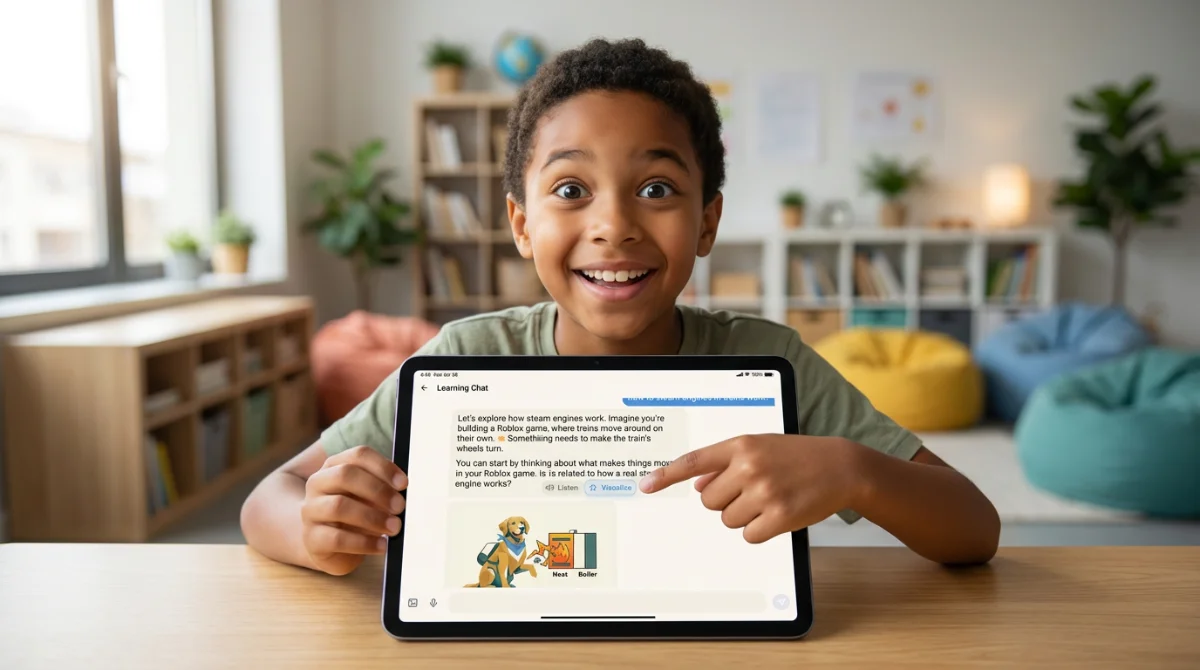
Your visual-spatial learner isn’t “behind”, they’re thinking differently. They’re future engineers, architects, artists, systems designers, and creative problem-solvers. They just need tools that work with their brain, not against it.
NeoBuddi isn’t trying to fix your child. It’s designed to amplify their natural strengths through:
🎨 On-demand visualizations
🧩 Whole-to-part learning
🗣️ Multiple input methods
🎯 Multi-panel process visuals
🧠 Neurodiversity-aware AI
👨👩👧 Parent-controlled safety
Ready to see your child’s eyes light up when learning finally makes sense?
Try NeoBuddi free for 7 days and watch your visual-spatial thinker thrive.
